This project was a solo developed university assignment, across 8 weeks to create a Testing Environment for a Series of mechanics in C++, while also making it designer friendly & scalable
Bouncy green paint effect on player
Related:
A first-person t training course traversed via paint, (paint gun) , the player is not able to use mechanics manually only through the paint. Due to time constraints, I focused on the core systems, making them designer friendly & efficient.
This Testing Environment features a series of systems
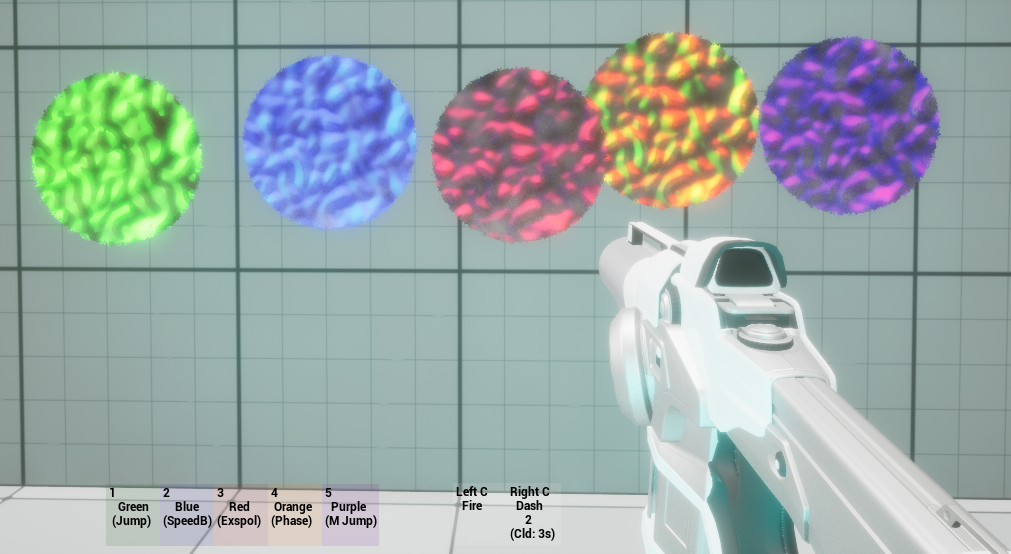
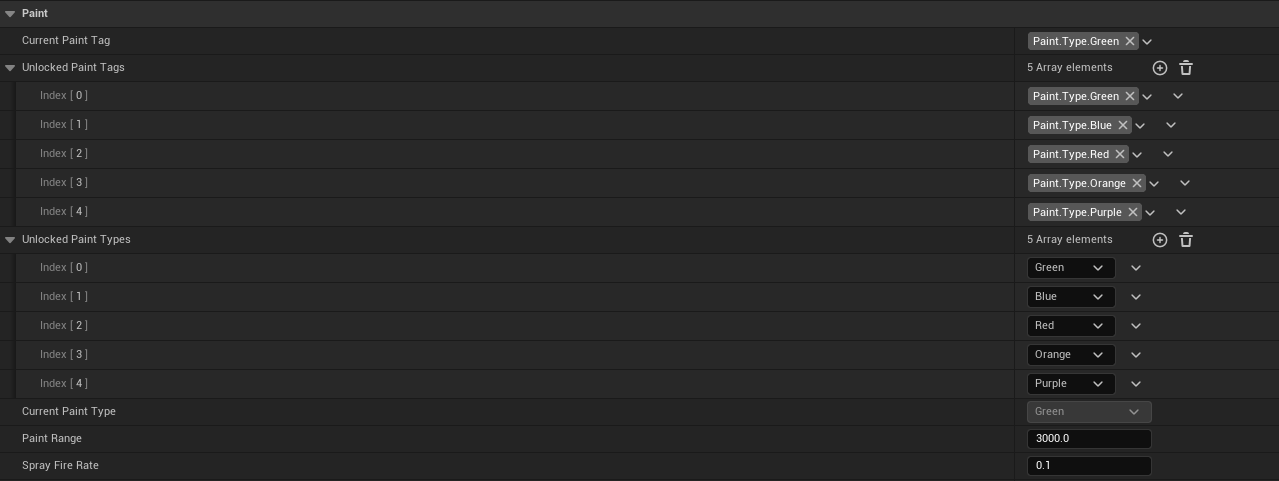
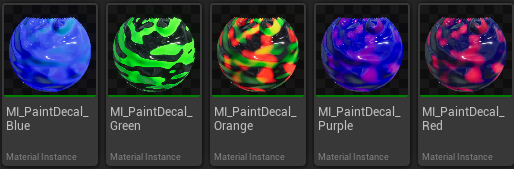
Paint Ability System ( Green,blue,Red,Orange,Purple) , modifying player movment and interact with special surfaces ( jump,speed boost, phasing, destructable,manual jump).
Projectile + Collider management systems, using design patterns such as object pooling and spatial partioning
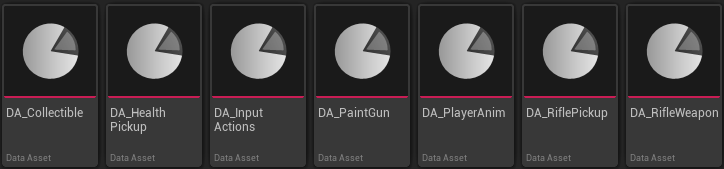
Data-driven content (Type Object / Data Assets), pickups / collectibles, input actions, paint gun. Making it easy to change specific values or switch out meshes and even change the entire ability setup. Just by switching out the data assets in the blueprints there is no integration issues.
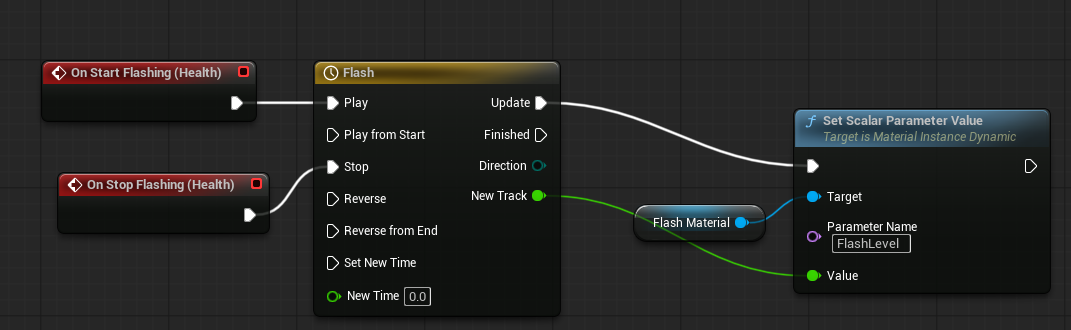
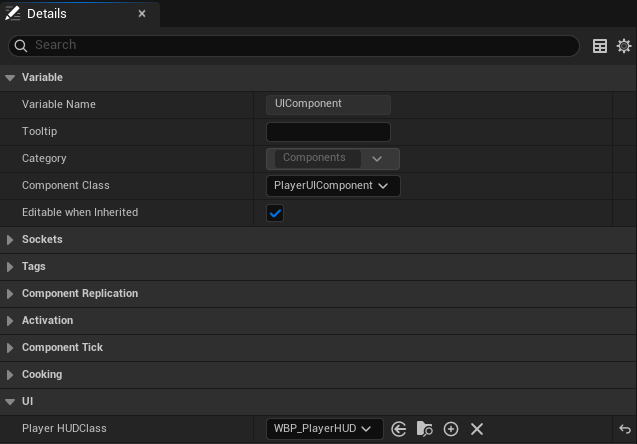
UI systems handled through UMG, via a general HUD class, allowing for easy additions to be made to the players main UI
Traversal & interaction Systems (dash and turret button press)
A project-wide focus on C++ decoupling and modularity, making extensive use of interfaces, Delegates, actor component, and BlueprintImplementableEvents for easy extension and customisation in blueprints
Core loop: pick a paint type → shoot surfaces → the environment + player movement changes → use that change to reach the next Checkpoint / interaction.
Each paint colour maps to an EPaintType and is handled via a polymorphic effect layer (UPaintEffect base + derived classes like UBluePaintEffect, UGreenPaintEffect, UPurplePaintEffect, UOrangePaintEffect, URedPaintEffect).
The player owns a UPlayerPaintReactionComponent, which acts like an “effect manager”:
creates the correct UPaintEffect when entering paint,
tracks active paint types to prevent duplicates,
cleanly removes effects on exit (including small grace rules like “blue linger”).
Adding a new paint type is mostly data + one new class:
add to EPaintType,
implement a new UPaintEffect subclass,
register it in PaintEffectClasses on UPlayerPaintReactionComponent.
The gameplay code stays designer-friendly because most tuning values are exposed with UPROPERTY(EditDefaultsOnly) (multipliers, cooldowns, allowed behaviours, etc).
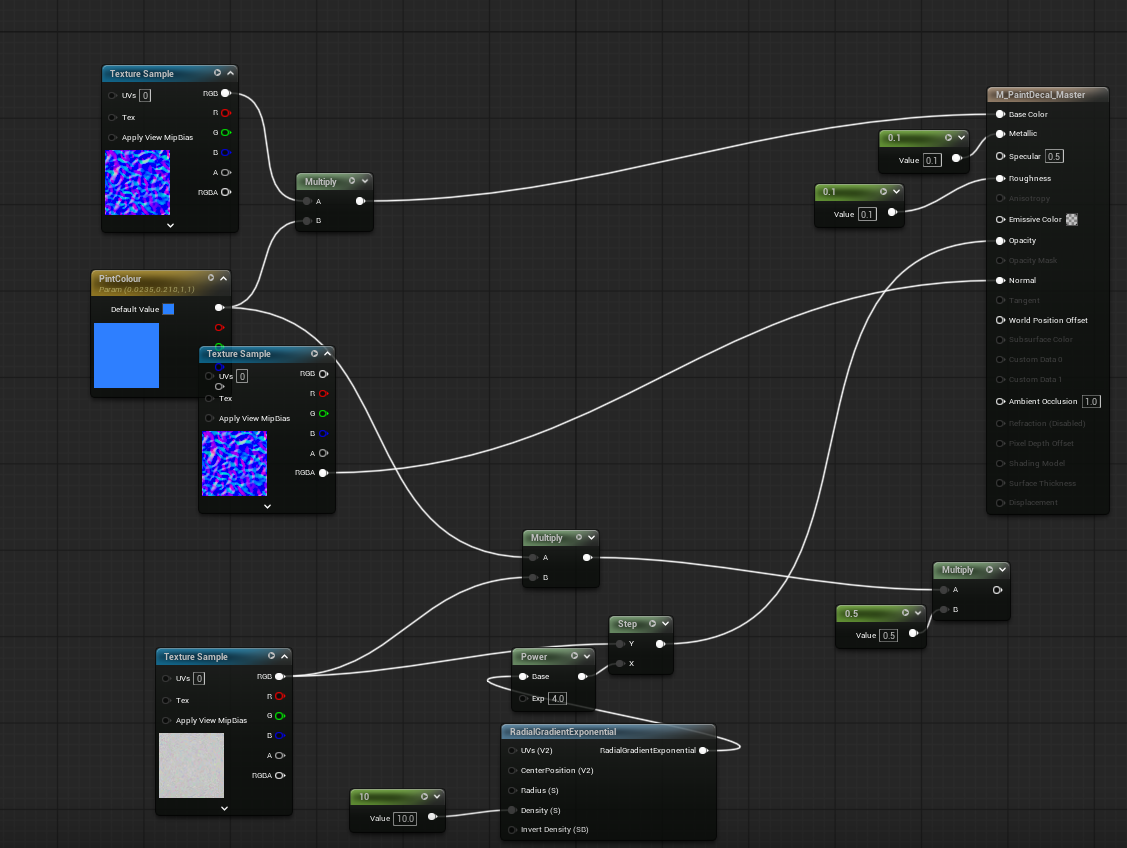
Paint type changes are reflected through surface visuals (materials/decals) and player response, so the player learns by doing/progressing.
Abilities are surface-driven , so the surface in which a pain decal is applied determines whether it effects or helps the player
This project fires a lot of paint projectiles and creates a lot of short-lived “impact” logic, so I focused on performance patterns that keep gameplay smooth and predictable as the level gets larger.
Spatial Partitioning / Collider merging: The world is split into **small regions (cells)** so systems only process what’s relevant nearby.
In my case, this is used to keep paint surface collision manageable:
Without partitioning, lots of painted areas can build up and collision/overlap checks can become “everything vs everything”.
With partitioning, paint data is stored/processed per cell, so when something needs to query paint, it only checks the local cell(s) around it.
So APaintZoneManager partitions decals into grid cells (FIntPoint) + EPaintType, meaning logic can reason about the “local” paint zones.
This keeps zone tracking scalable and gives a foundation for optimisations like “merge colliders when dense
cpp
// APaintZoneManager::RegisterDecal // Goal: avoid tracking decals in one global list by bucketing into grid-cell + paint-type zones.void APaintZoneManager::RegisterDecal(APaintDecalActor* Decal){ if (!Decal) return; const FIntPoint Cell = WorldToGrid(Decal->GetActorLocation()); const EPaintType Type = Decal->PaintType; // Key is unique per cell + paint type, so zones stay local + predictable UPaintZone* Zone = GetOrCreateZone(Cell, Type); if (Zone) { Zone->AddDecal(Decal); // zone can later decide when to merge colliders, etc. }ActiveDecals.Add(Decal);}
I used a base weapon class (AWeaponBase) (shared firing / input / equip logic(e.g HandleFire,CnaFire(),Fire())) and then a specialised weapon implementation class for the APaintGun.
cpp
// AWeaponBase::Fire (trimmed)// Template Method: this high-level flow stays the same for all weapons.void AWeaponBase::Fire(){ if (!CanFire()) return; HandleFire(); // <- variation point (derived weapons override) OnWeaponFired.Broadcast(); // <- stable post-fire event (UI/VFX/audio can hook in)}// Default rule: only fires when equipped + has valid databool AWeaponBase::CanFire() const{ return bIsEquipped && WeaponData != nullptr;}
cpp
// APaintGun overrides only what changes, reusing the base Fire() pipeline.bool APaintGun::CanFire() const{ return Super::CanFire() && CurrentPaintType != EPaintType::None;}void APaintGun::HandleFire(){ // Paint weapon uses trace + pooled decals instead of spawning a normal projectile. // (Implementation detail: TracePaintHit -> pool.GetDecalActorFromPool -> SetPaintColor)}
This structure makes it easy to add future weapons (or alternate paint tools) without duplicating core weapon code — the shared behaviour stays in the base class, while each weapon overrides only what it needs (projectile type, fire behaviour, cooldown rules, UI hooks).
UTurretWorldManager is a UWorldSubsystem that tracks turrets using TWeakObjectPtr to avoid hard ownership and to stay safe if actors are destroyed.
Data-driven configuration via UWeaponDataAsset, UCollectibleData, UPickupData and TSubclassOf<> keeps balancing/tuning out of code and reduces iteration cost.
Interaction is decoupled through IInteractableInterface + UInteractableComponent so interactive actors don’t depend on a specific player class
It talks to a UWorldSubsystem (UTurretWorldManager) which tracks turrets and can enable/disable them as a group. -Turrets register/unregister themselves on BeginPlay/EndPlay (no manual wiring per level).
Turret button enable
Related:
cpp
// ATurretButton::OnButtonPressed_Implementation (trimmed)if (UTurretWorldManager* WM = GetWorld()->GetSubsystem<UTurretWorldManager>()){ const bool bEnable = !bIsPressed; // pressed state is handled in base button WM->SetAllTurretsActive(bEnable); // global fan-out}// UTurretWorldManager::SetAllTurretsActive (trimmed)for (TWeakObjectPtr<ABaseTurret> Turret : ActiveTurrets){ if (Turret.IsValid()) { Turret->SetTurretActive(bActive); // starts/stops fire timer }}
Provides base interaction , something simple as opening a door , add this interface to the class and when player presses 'E' whaever is in the doors interact impelmentation will be called, player doesnt even have to knwo what it is just checking if it has the interface
This project reinforced how important it is to balance scope vs. polish. The core mechanics (paint effects, object pooling, modular components, UI feedback) came together quickly, but I learned that traversal/puzzle gameplay lives or dies on iteration - clear visual communication, consistent rules, and repeated playtesting + tuning often take longer than implementing the mechanics themselves.
My biggest technical takeaway was the value of building for extension early. By structuring paint behaviour as data-driven effects + reusable components (rather than hardcoding per-actor logic), I ended up with systems that are easy to scale: new paint types, surface rules, interactables, or reactions can be added by creating a new class/data asset and wiring it up, without rewriting the existing gameplay loop.